Swipe Right and Stars & Swipes: How We Built Two Phone-Style Games for Non-Gamers in One Day
Many of my students aren't gamers. The games non-gamers do play are usually on their phones, and they usually involve puzzles or swiping. So I wanted to build a new style of game that combines the two, universal enough for gamers and non-gamers and academic enough for class. In one day, we built two of them. Swipe Right is a dating app for the three branches of government, and Stars & Swipes is a three-round puzzle game.
Where the day started. This started the day after we built Pour Decisions, a drink-shop game about the three branches. I asked Claude, the AI assistant I work with, a simple question: "This went well. What's another game we can build that's universal?" Claude laid out the formula behind Pour Decisions. Take something students already love, find a real process inside it that matches a government idea, and turn the steps into quick skill games. Then it pitched four new ideas built on that formula.
Reshaping the pitch. I picked the swipe idea, but Claude's version was complicated. Students would write app rules as the legislature, enforce them by swiping as the executive, and review appeals as the courts. I asked one clarifying question: "Swipe right is good, right?" Then I simplified the whole thing in a few short lines. Make it look like a dating app. Run one round per branch. Swipe right if the card belongs to that round's branch. Fastest total time wins.
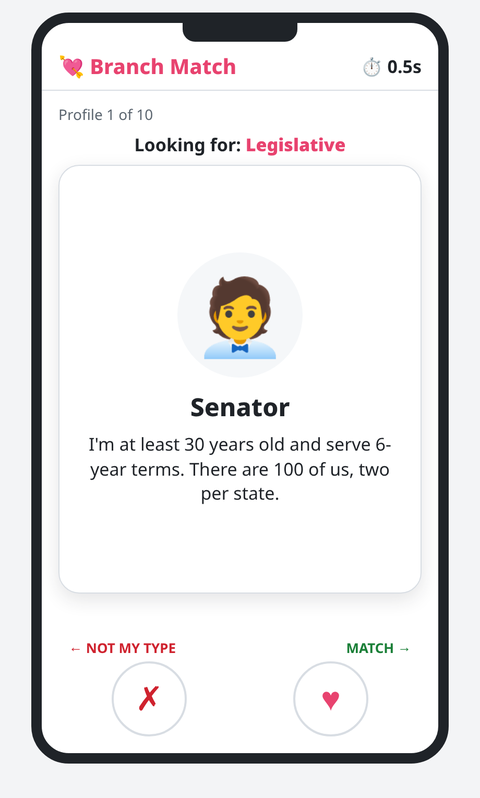
Swipe Right. The game runs inside a phone frame for a made-up dating app called Branch Match. Claude suggested making every card a dating profile for a part of government, like the Senator card above. There are three rounds, Legislative, Executive, and Judicial, with 10 profiles each, and 5 of them belong to that round's branch. Claude wrote 30 profiles, and every game uses all 30 once in a new random order.
Speed alone wasn't enough. Claude flagged a problem I hadn't thought about. If speed were the only score, students would just swipe randomly as fast as they could. The fix is a 3-second penalty for every wrong swipe, plus a message that tells the student which branch the card actually belongs to. A few tricky pairs are in there on purpose. The final screen lists every missed profile with its correct branch, which makes for an easy debrief.
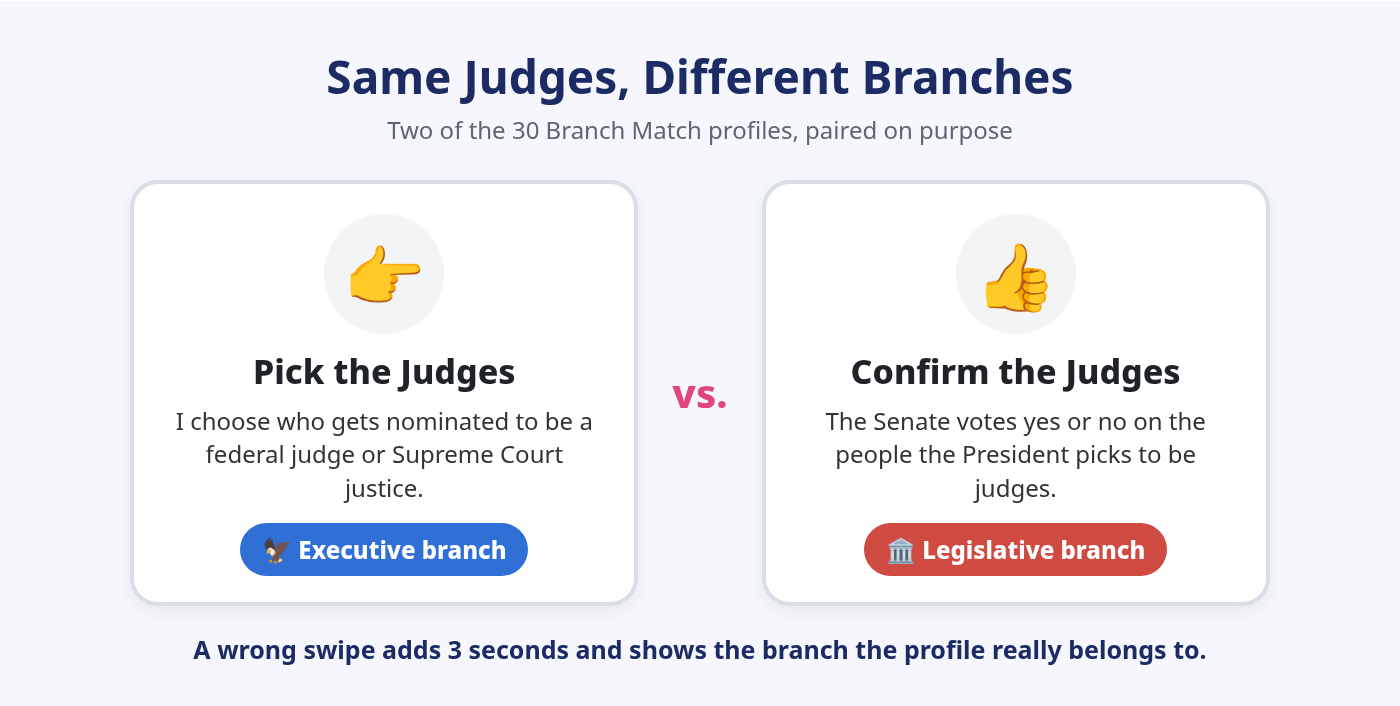
That was quick. Swipe Right went from my simplified idea to a finished, tested build in one round of conversation. When I asked to hook it up to my class spreadsheet, Claude pointed out that the export was already built in. My reaction: "That was quick. We are cooking."
Stars & Swipes started non-academic on purpose. For the second game, I wanted something that wasn't academic at all, a Candy Crush-style puzzle with government symbols. I had three requirements. One round had to use the touchscreen, one had to use the keyboard, and the game had to be scored on time and points. I'll be honest: I wasn't sure how it should work yet, so Claude walked me through how match-3 games work before anything got built.
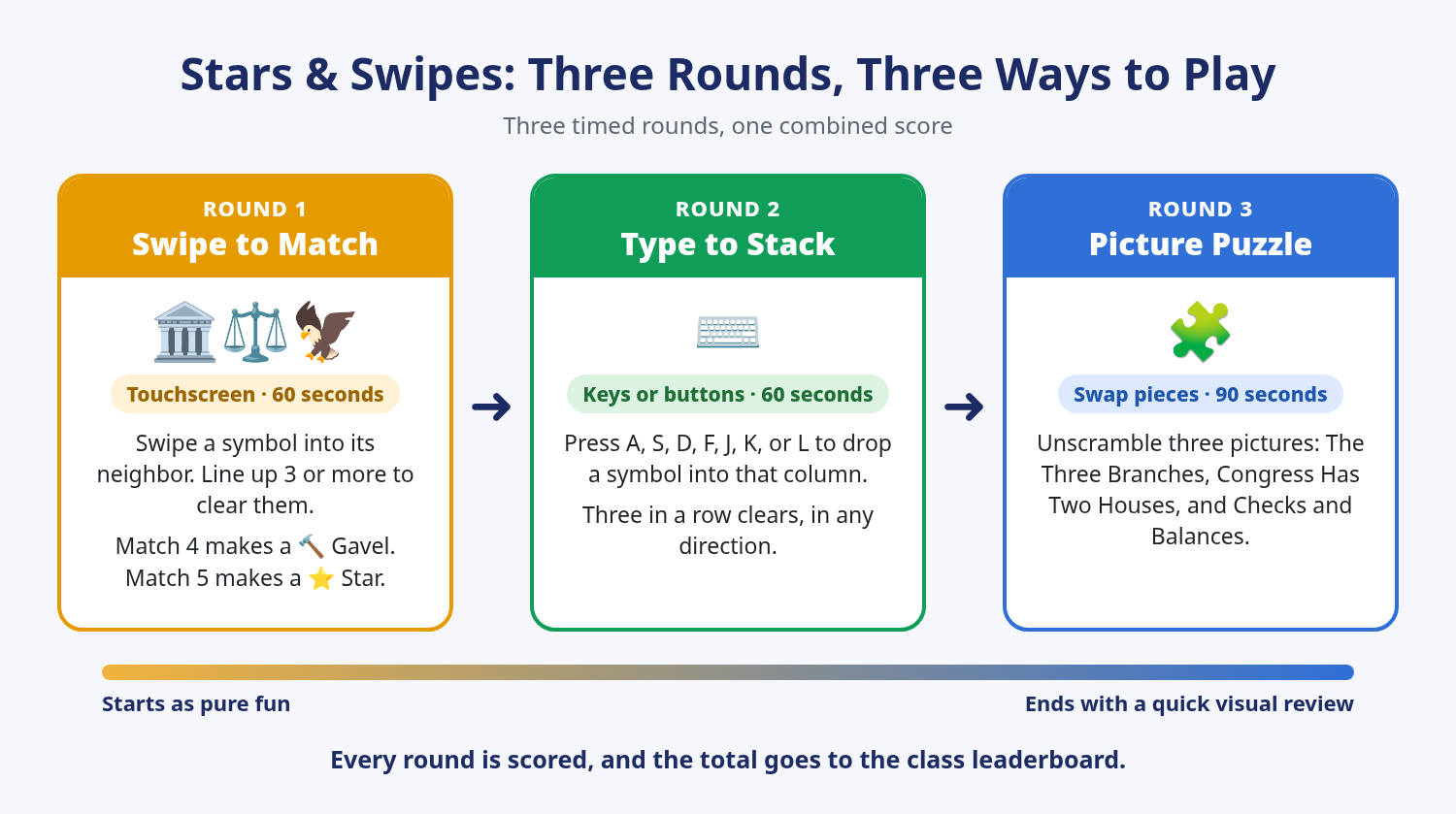
Two rounds, two kinds of control. Round 1, Swipe to Match, is a classic match-3 board with six symbols: the Capitol, the scales of justice, an eagle, the Statue of Liberty, the Constitution, and a ballot box. Match four for a Gavel, or five for a Star. For Round 2, I wanted a different game that used keys, not just new controls for Round 1. Claude pitched stacking, a Guitar Hero-style rhythm game, and typing, and I picked stacking. Students press a letter key to drop each symbol into one of seven columns.
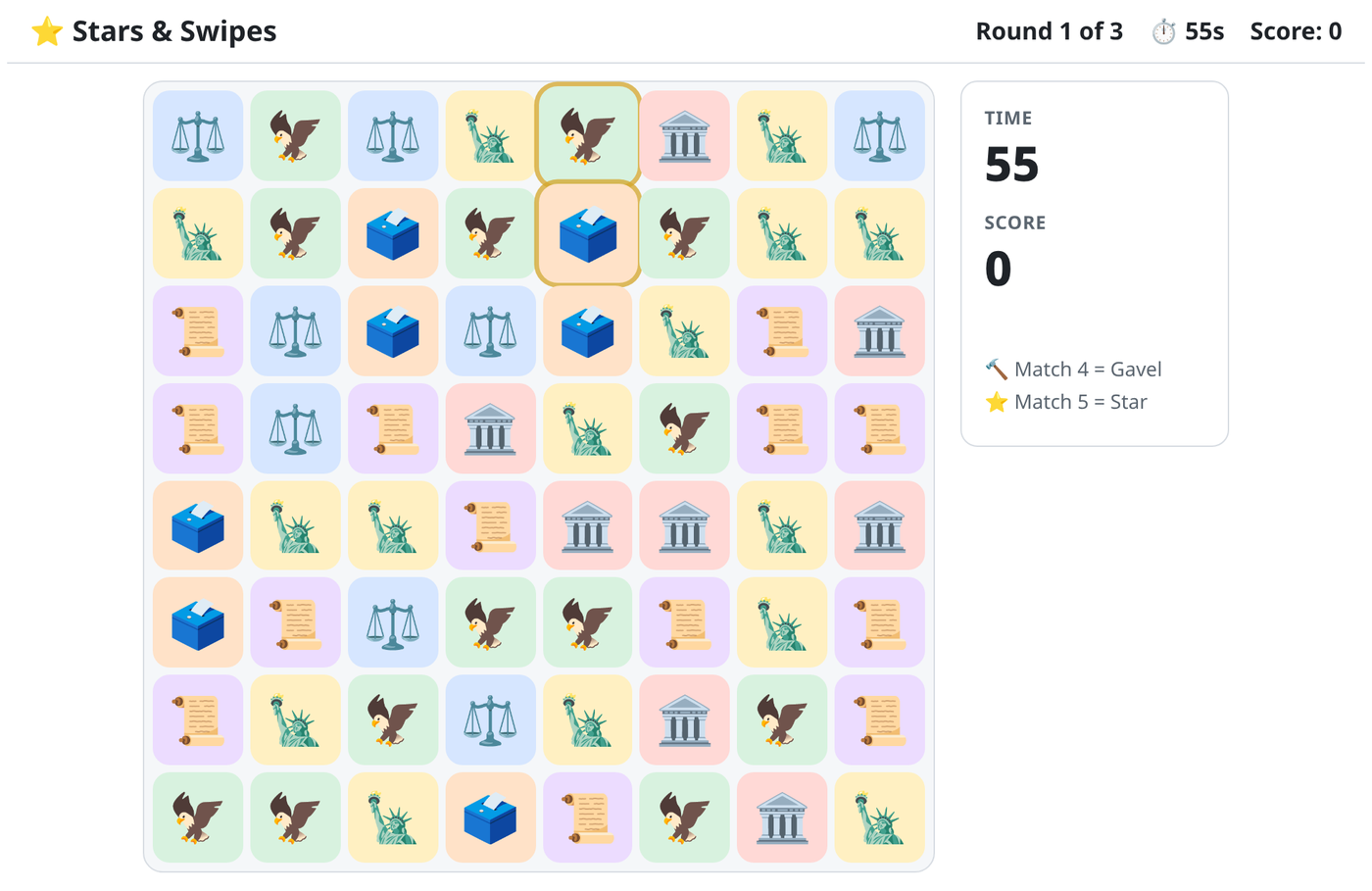
"I just didn't understand the game." During testing, I told Claude the swipe in Round 1 wasn't working. Claude ran the game with simulated touchscreen swipes and found they were registering fine. The real problem was feedback. When a swap didn't make a match, the pieces snapped back so fast it looked like nothing happened. Now the symbols visibly slide past each other, and a swap with no match slides back, shakes, and says to try another swap. If a student goes 4 seconds without a match, two pieces that would work pulse with a gold glow. My answer was honest: "It worked, I just didn't understand the game."
From rhythm game to picture puzzle. I asked for a third round that was "a little more academic, but nothing heavy," in a Guitar Hero style. Claude's first version put government labels on the rhythm notes. I told it that wasn't academic at all, because the labels were too passive to teach anything. Claude pitched two rhythm versions where students had to know the content, but I decided to drop rhythm and stick with puzzles. My idea was for students to move pieces around to reveal an educational picture. We tested a swap puzzle on its own first, with three pictures.
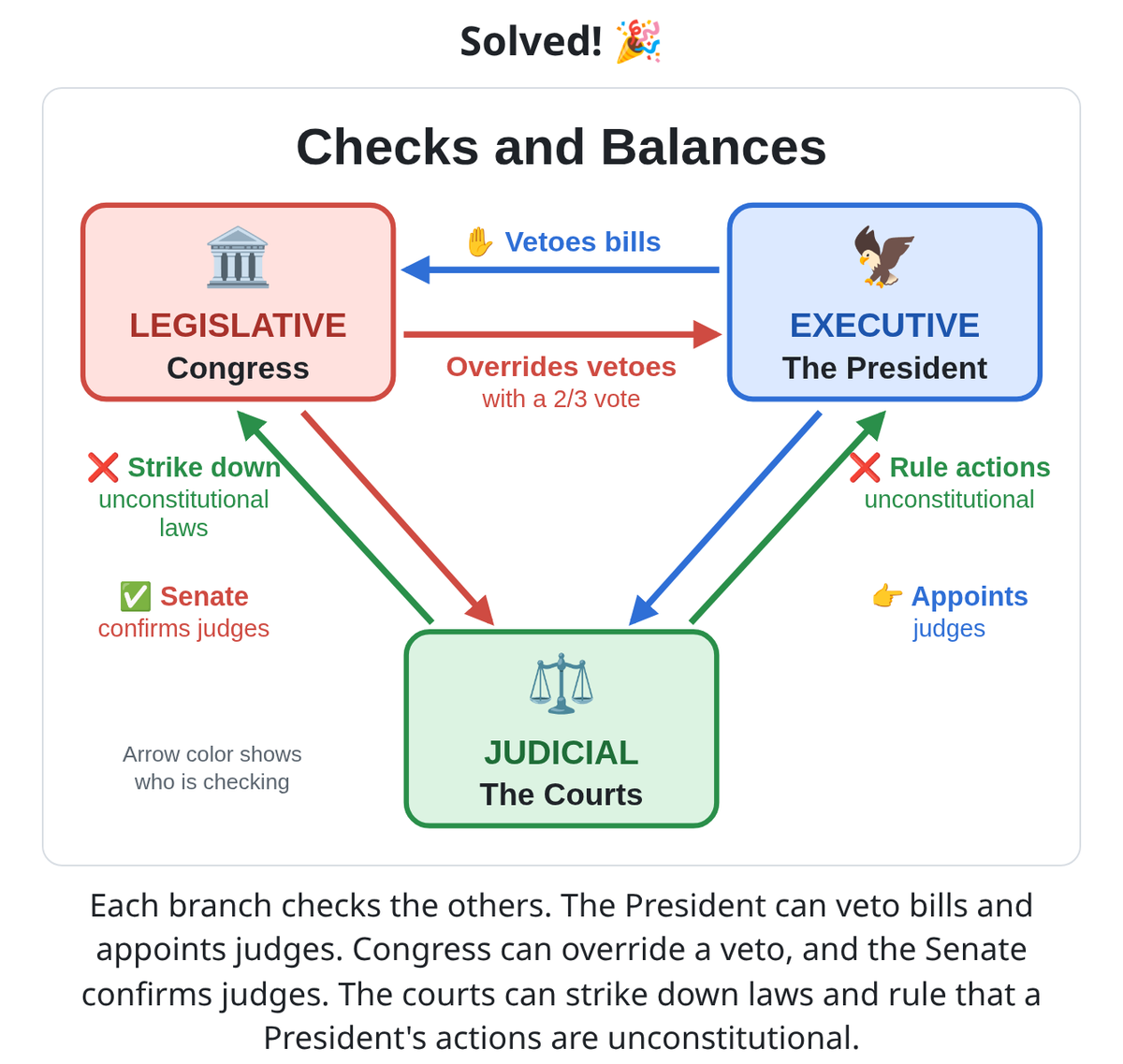
The checks and balances fix. I asked to replace one test picture with a checks and balances diagram. Claude's first version showed only three checks. I sent back a screenshot and listed what was missing: the courts checking the President, the President checking the courts, and Congress checking the courts. The final diagram shows all six checks. Each arrow is colored by the branch doing the checking. My response: "Perfect, build full game."
Easy to play, hard to master. That's my philosophy for every game I build. Anyone can swipe a card or swap two symbols on the first try, but the best time or the high score takes real work. Every game is scored, and the results export to a Google Sheet leaderboard with student info protected. Students sign in with their ID, name, and class period, so nobody forgets to submit.
Who built what. Claude built the base code and tested every build in a test browser with simulated swipes, key presses, and taps, including the spreadsheet export. Test data was blocked from reaching my real class spreadsheet. Grok Build, an AI coding tool, does the visual code. I play each version and send back whatever confuses me. One thing I'm still watching: in testing, the picture puzzle scored much higher than the other rounds, but the test bot solved each puzzle in seconds. Real students may balance it out.
What I'd tell another teacher. A non-academic game can still earn its place in class, especially when it ends with a short, visual academic round. When students already love something, like dating apps or puzzle games, the format does half the teaching work for you. Treat AI brainstorming as a starting point, because the best features came from reacting to the pitches and changing them. If you're confused by your own game while testing it, your students will be too. And test pieces of a game on their own before you combine them.
You can play Swipe Right (listed as 3 Branches - Branch Match) and Stars & Swipes for free on the games page. Try them yourself before you use them in class, and let me know how your students do.
Want to help your teachers save time with AI? Book a PD session for your school.
New ideas every week: Follow The AI Teacher Lab on Facebook.

